
Case Clicker
Burger Clicker
Click To Continue 2
Clicker Heroes

Doggo Clicker

Coin Clicker

Muscle Clicker














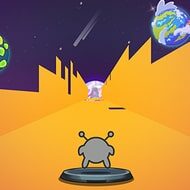
Run 3 Editor transforms movement-based mechanics into a creative design experience. Instead of following preset paths, players construct their own challenges by arranging tiles, gaps, and directional shifts. Run 3 Editor focuses on understanding how gravity and orientation influence motion, turning level creation into a thoughtful process.
At the core of Run 3 Editor is the ability to shape how movement flows. Tile placement determines speed, direction, and camera orientation. Small changes can significantly alter how a section feels during play.
Effective designs consider not only difficulty but also clarity, ensuring that players can read the path ahead.
Testing is a crucial step in Run 3 Editor. A layout that appears balanced may become frustrating if jumps occur too frequently or angles shift too suddenly. Adjustments often involve spacing rather than removing obstacles.
The game rewards creators who focus on rhythm and consistency rather than constant surprises.
Run 3 Editor allows for experimentation without penalties. Designers often incorporate visual tricks that challenge perception or hidden safe routes that reward exploration.
Many players ask whether advanced layouts require expert knowledge. Run 3 Editor remains accessible because simple designs can still feel engaging. Another common concern is replayability, which stays high due to endless design variations.
Run 3 Editor stands out by turning movement mechanics into a creative language, allowing players to express challenge through design rather than speed alone.
